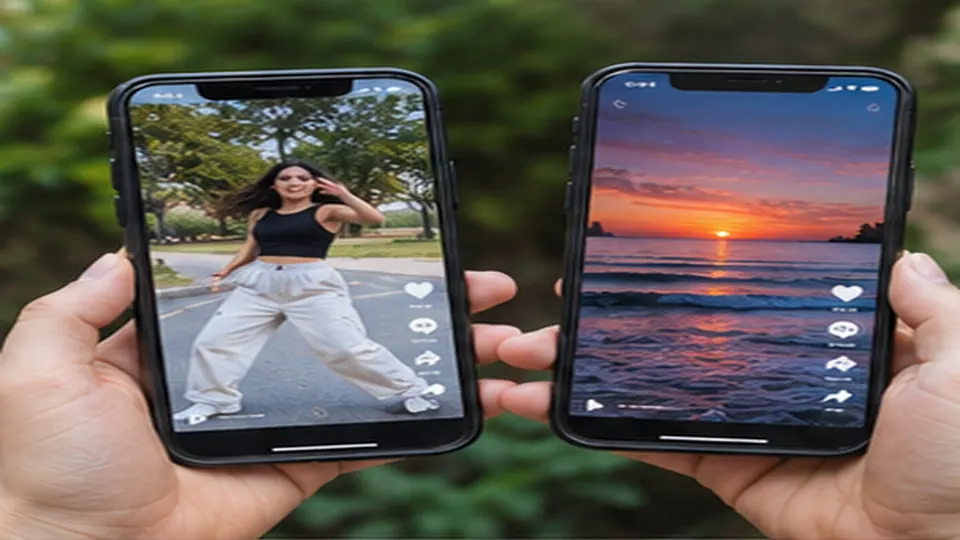
YouTube Shorts TikTok comparisons come up constantly because both services centre on vertical clips you scroll through one after another. They feel similar at first glance, yet they differ in how videos are discovered, how they connect to longer content and how comfortable they are to watch on a computer.
This comparison focuses on the viewer's side: finding clips, watching them on different screens, sharing them and following creators. Creator tools are covered briefly where they shape what you see in the feed.
Discovery and Recommendations
TikTok built its reputation on the For You feed, which quickly learns from viewing behaviour and surfaces clips from accounts you have never followed. Shorts uses a similar personalised feed, but it also draws on your wider YouTube history, including long-form videos, subscriptions and searches.
Because of that connection, a cooking channel you watch for full recipes may appear in your Shorts feed with quick tips, and a Short can lead you back to the creator's longer videos. TikTok keeps most viewing inside its own short-form world.
Side-by-Side Overview
| Aspect | YouTube Shorts | TikTok |
|---|---|---|
| Home | Part of the YouTube app and website | Separate TikTok app and website |
| Link to long-form video | Same channel, same subscriptions | Mostly short-form focus |
| Maximum Short length | Up to three minutes | Longer uploads supported |
| Desktop viewing | Shorts feed plus standard watch page | Web feed |
| Search | Backed by YouTube search | In-app search and trends |
Watching on a Computer
Both services offer a web version with a vertical feed. Shorts has a practical advantage on a computer: any Short can also open on YouTube's regular watch page with a full timeline, speed menu and complete description.
The yt short converter creates that watch link from a Shorts address in one step. TikTok links stay in TikTok's own player, which is designed mainly around the scrolling feed.
Content Style and Length
TikTok has long been associated with trends, dances, duets and fast-moving audio memes. Shorts carries plenty of the same energy, but because YouTube creators often repurpose clips from longer videos, the feed also contains many tutorials, highlights and explainers.
Length limits have grown on both sides. Shorts now allows up to three minutes, while TikTok supports considerably longer uploads, so the gap between short-form and mid-length video continues to blur.
Sharing and Embedding
Shorts links can be shared as youtube.com/shorts/ID or as compact youtu.be links, and they can be embedded on websites with YouTube's standard iframe player. This makes Shorts handy for blogs, course pages and documentation.
TikTok offers its own embed code and share links. For people who already publish YouTube content, keeping short clips in the same ecosystem simplifies embedding and analytics.
- Shorts: watch, Shorts, youtu.be and embed links for the same video
- Shorts: privacy-enhanced embeds through youtube-nocookie.com
- TikTok: share links and TikTok-specific embed code
What Matters for Creators
Creators often cross-post the same vertical clip to both services. Shorts benefits from a channel's existing subscribers and search presence, while TikTok can reach new audiences quickly through its feed. Both have revenue programmes with eligibility rules that change over time, so checking the official help pages is wise.
Watermarks from one service can reduce reach on the other, which is why many creators export a clean version for each upload. Our article on the best short video for YouTube covers what tends to work well in the Shorts feed.
Choosing the Right Feed for You
Viewers who already rely on YouTube for tutorials, music and long videos tend to enjoy Shorts because everything connects to one account. People who mainly want trend-driven entertainment and an active comment culture often lean towards TikTok.
Nothing stops you from using both. Many people scroll TikTok for trends and save useful Shorts for later viewing on a computer, where the regular YouTube player gives more control.
Privacy and Viewing Controls
Both services let viewers manage watch history, limit sensitive content and control who can interact with their own uploads. YouTube's controls live in Google account settings and apply across Shorts and long-form videos, while TikTok keeps its controls inside the TikTok app.
Parents often find YouTube's supervised accounts and Restricted Mode convenient because one set of rules covers the entire YouTube experience. TikTok offers its own family pairing tools for linking a parent's account with a teen's account.
- Pause or clear watch history to reset recommendations
- Use Not interested options to refine both feeds
- Review comment and sharing settings before posting
Data Use and Offline Viewing
Short clips load quickly on either service, but heavy scrolling uses plenty of mobile data. Both apps include data-saving preferences that lower video quality on cellular networks.
Offline viewing differs by service, region and subscription. On YouTube, downloads inside the official app are tied to Premium or regional offers, while saving clips outside the official apps can break platform rules.
Accessibility Differences
Captions are available on both services, either added by creators or generated automatically. On YouTube, the regular watch page adds extra options such as caption styling, playback speed and keyboard navigation, which many viewers with access needs find helpful.
Converting a Shorts link with yt short is a quick route to those standard player controls on a computer, while the vertical feed stays available for casual browsing.
Frequently Asked Questions
Can I watch TikTok videos with yt short?
No. The converter only recognises YouTube links and video IDs. TikTok links are flagged as not recognised.
Are Shorts and TikTok owned by the same company?
No. YouTube Shorts is part of YouTube, which belongs to Google, while TikTok is a separate company and service.
Which is easier to watch on a laptop?
Shorts has the edge because any clip can open in YouTube's full desktop player with a timeline and speed controls.
Conclusion
YouTube Shorts TikTok differences come down to ecosystem and control. Shorts ties vertical clips into the wider YouTube world of search, subscriptions and long-form video, while TikTok offers a self-contained, trend-driven feed with its own culture.
For viewing Shorts on a big screen or sharing them cleanly, convert the link with yt short and open the clip in the standard player whenever the feed feels too limiting.
 How to Find All Shorts on a YouTube Channel?
 All Short Video Platforms Compared: Where Vertical Clips Live
 What Makes the Best Short Video for YouTube?