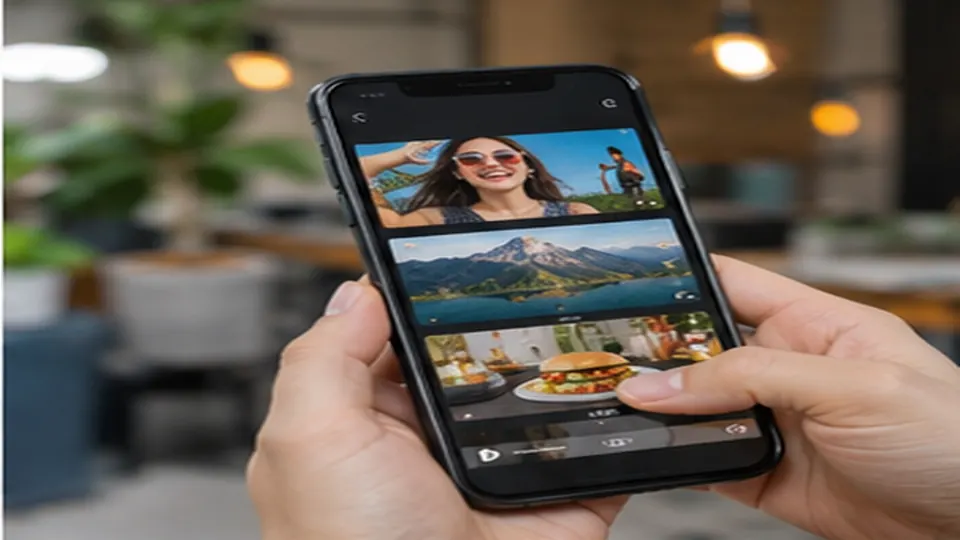
YouTube Shorts watch for free access is the default experience on YouTube: anyone with a browser or the YouTube app can open the Shorts feed and start scrolling without paying a cent. The free tier is supported by advertising, and a paid membership exists for people who prefer fewer interruptions and extra features.
Many viewers wonder whether they are missing anything important by skipping the subscription. This article explains what the free experience includes, how ads appear between Shorts, what YouTube Premium changes and how to avoid unofficial apps that promise free viewing while putting your device at risk.
What the Free Experience Includes
Free viewers can watch every public Short, like and comment after signing in, subscribe to channels and share clips with friends. The full Shorts library, from cooking tips to comedy sketches, is available without a membership.
A free Google account adds personalised recommendations, playlists and Watch Later. Viewing without signing in still works, though the feed relies on general popularity rather than your interests.
- Unlimited Shorts viewing on the app and the website
- Likes, comments, subscriptions and sharing with an account
- Playlists and Watch Later that sync across devices
- Remix tools for creating your own Shorts from eligible clips
How Ads Appear Between Shorts
Ads in the Shorts feed usually appear as full-screen vertical clips placed between regular videos. Many can be skipped by swiping past them, just like any other Short. Ad frequency varies by region, account and viewing pattern, so two people may see quite different numbers.
Revenue from these ads is pooled and shared with eligible Shorts creators through the YouTube Partner Program. Watching on the free tier therefore still supports the people who make the clips you enjoy.
What YouTube Premium Adds
YouTube Premium is a paid subscription that removes most ads across YouTube, including the Shorts feed. It also adds background play, offline downloads inside the official app and access to YouTube Music Premium in supported regions.
Prices and plan types, such as individual, family and student options, differ by country and change over time. Checking the official YouTube Premium page in your region gives the current figures.
| Capability | Free | Premium |
|---|---|---|
| Watch all public Shorts | Yes | Yes |
| Ads in the feed | Yes | Most removed |
| Background play | No | Yes |
| Offline downloads in the app | Limited by region | Yes |
| Comments, likes and subscriptions | Yes, with account | Yes |
Watching Free Shorts on a Computer
Desktop browsers give free viewers a comfortable way to enjoy Shorts on a larger screen. The Shorts entry in the left menu opens the vertical feed, and any single clip can be moved to the regular watch page for full playback controls.
Converting a link with the yt short tool turns /shorts/ addresses into standard watch links at no cost. Our article on watching Shorts on a computer explains the keyboard shortcuts that make desktop viewing even smoother.
Avoiding Risky "Free Shorts" Apps and Sites
Some third-party apps and modified installers promise ad-free Shorts at no cost. These often request broad device permissions, inject their own ads or bundle unwanted software. Installing them can also break YouTube's terms of service and expose your Google account.
The safest free option remains the official YouTube app from the Google Play Store or Apple App Store, or youtube.com in a trusted browser. Link tools that only rewrite addresses, like this site's converter, never need to install anything on your device.
- Install YouTube only from official app stores
- Avoid apps asking for accessibility or device admin permissions
- Never enter your Google password into third-party viewers
- Keep your phone and browser updated
Saving Mobile Data While Watching
Shorts load quickly, but long scrolling sessions on mobile data add up. The YouTube app lets you choose a data saving preference for video quality on mobile networks. Lower quality settings reduce usage while keeping vertical clips perfectly watchable on a phone.
Wi-Fi is the better choice for long sessions, especially at higher resolutions. Turning off autoplay elsewhere in the app also avoids background loading when you are not actively watching.
Free Features Worth Using More
Several free tools make the Shorts experience noticeably better, yet many viewers never touch them. Captions can be switched on from the player menu, which helps in noisy places and for clips in other languages. The Not interested option in the three-dot menu teaches the feed which topics to show less often.
Subscribing to channels whose Shorts you enjoy also shapes recommendations over time. Combined with playlists, these free controls turn a random stream of clips into a feed that reflects your interests rather than whatever is trending.
- Captions for silent or foreign-language viewing
- Not interested and Don't recommend channel to refine the feed
- Playlists and Watch Later for clips worth revisiting
- Remix options to reuse eligible clips in your own Shorts
Free Viewing for Families
Families sharing a tablet or TV can watch Shorts for free while keeping content suitable for younger viewers. Restricted Mode filters out potentially mature videos, and supervised Google accounts give parents extra control over what appears for children.
Setting these options takes a few minutes in the account settings and applies across the app and website on that device or account. They remain free and can be changed whenever needs change.
Frequently Asked Questions
Do I need an account to watch Shorts for free?
No. Shorts play without signing in, although an account unlocks likes, comments, subscriptions and personalised recommendations.
Will Premium remove every single ad?
Premium removes most ads served by YouTube, but creators may still include their own sponsored segments inside the video itself.
Is converting a Shorts link to a watch link free?
Yes. The yt short converter is free and runs inside your browser without an account.
Conclusion
YouTube Shorts watch for free access gives you the entire public Shorts library, social features and cross-device playlists, with ads keeping the service funded. Premium is an optional upgrade for people who value fewer ads, background play and downloads in the official app.
Stick to official apps and trusted browsers, and use the yt short converter whenever you want a free, clean watch link for a Short on a bigger screen.
 YT Shorts App Explained: Finding Shorts on Android and iPhone
 Shorts Video Format Explained: Length, Ratio and Resolution
 YouTube Shorts vs TikTok: Key Differences for Viewers